How it works
From one hold to your people, in four steps.
OneTapAlert is a personal safety alert system. It doesn’t replace 911 — it makes sure the people you trust know you need help, and where you are.
Step 1
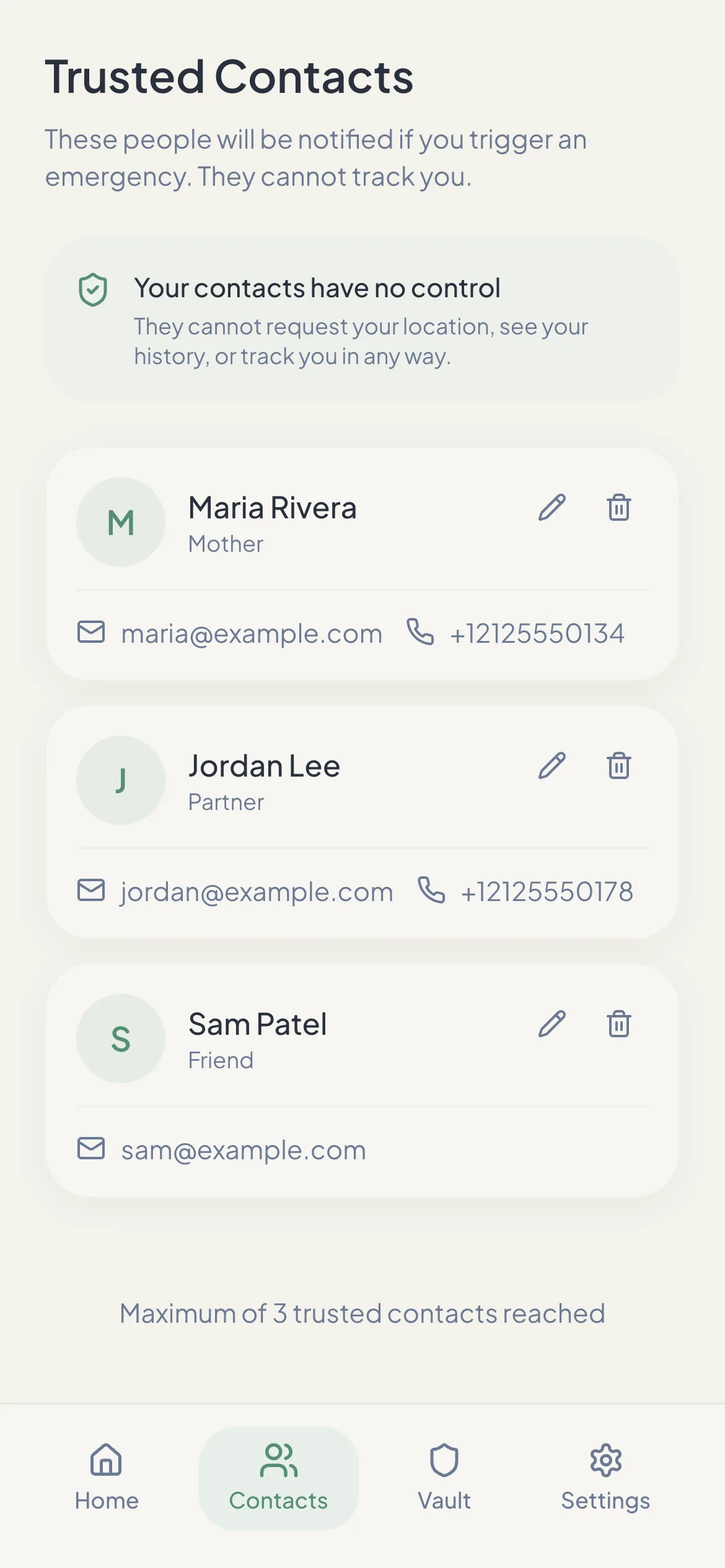
Add your trusted contacts.
Sign up with your email, then add up to 3 people — family, a partner, a close friend or a coworker.
- An email address is required for every contact. That’s how free alerts are delivered.
- Add a mobile number to also reach them by text and an automated call on a paid plan.
- Contacts can’t request your location or track you. They only hear from OneTapAlert when you send an alert.
Tip: tell your contacts you added them, and ask them to save [email protected] and +1 877 405 9946 so alerts don’t land in spam or get ignored as an unknown number.
Step 2
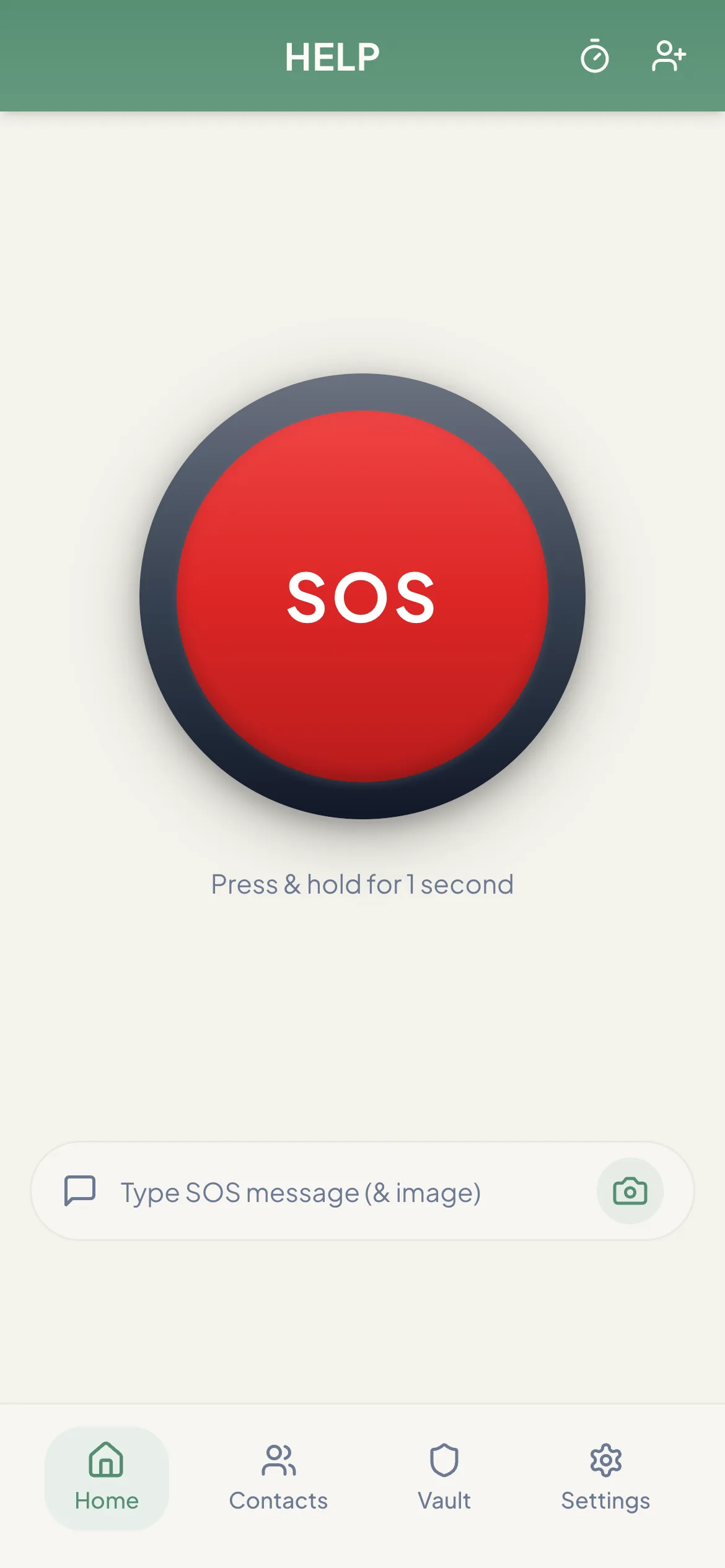
Press and hold SOS for 1 second.
The hold prevents accidental alerts. As soon as it completes, OneTapAlert gets your GPS location and starts sharing it.
- Optionally type a short message or attach a photo before you hold the button.
- Location permission must be allowed. If your phone can’t get a location fix within about 20 seconds, the alert is not sent and the app tells you, so you can try again or call for help another way.
- You need a data or Wi‑Fi connection. OneTapAlert does not queue alerts offline.
Step 3
Your contacts are notified.
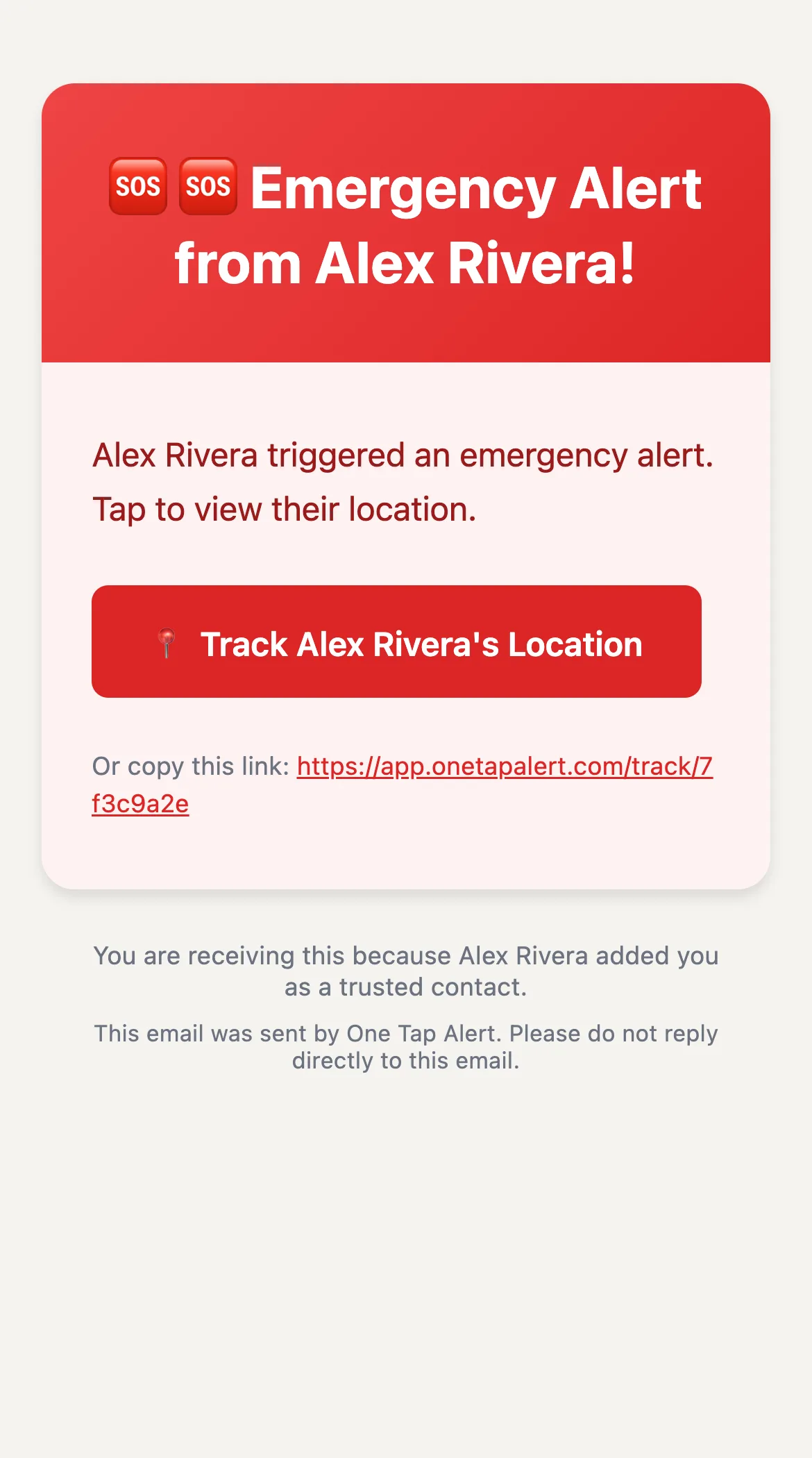
Every contact gets an email with a button to your live location. What else they receive depends on your plan.
| Channel | Free | Paid |
|---|---|---|
| Email with live location link | Yes | Yes |
| Text messages with the link | — | Yes |
| Automated voice call | — | Yes |
Texts and calls come from +1 877 405 9946. The voice message is in English and plays twice.
Step 4
They follow your location until you’re safe.
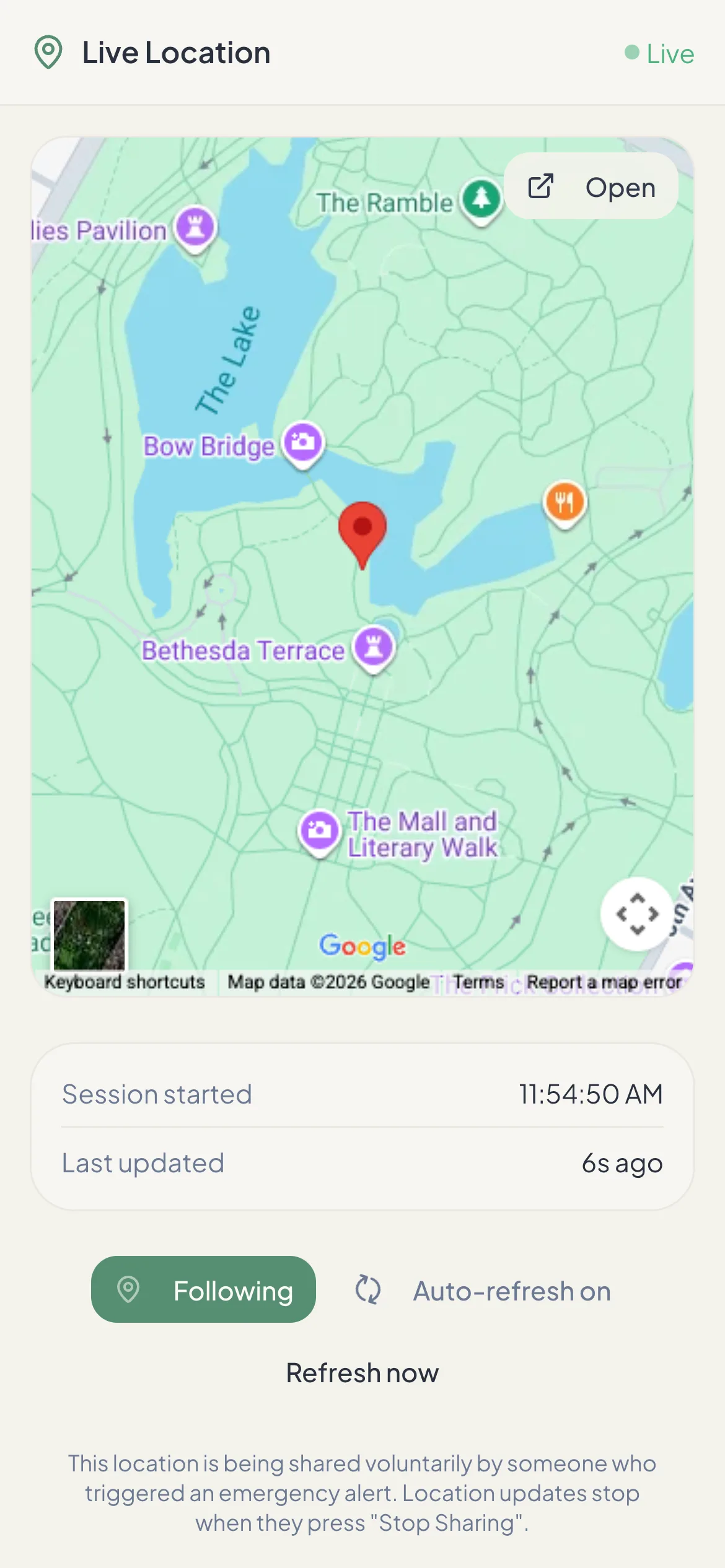
The link opens a live map in any browser — no app or account. It refreshes every 10 seconds while your phone keeps sharing.
- Sharing stops when you press Stop in the app.
- Every link expires after 24 hours, even if you forget to stop it.
- Keep the app open while you share: updates may pause if the app is closed or your screen is locked, depending on your phone.
Also built in
The safety timer checks in for you.
On a paid plan, set a timer before a walk, a date or a late shift. If you don’t turn it off in time, OneTapAlert alerts your contacts with your last known location — from our servers, so it still works if your phone dies.
OneTapAlert is not an emergency service. It alerts the people you choose. It does not contact 911 or dispatch help. If you are in immediate danger, call 911 or your local emergency number.
- Your phone needs a data or Wi‑Fi connection to send an alert. There is no offline queue: an SOS cannot be delivered while you are disconnected.
- An SOS needs a location fix. If your phone cannot get one within about 20 seconds, the alert is not sent and the app tells you.
- GPS accuracy depends on your device, location permissions, surroundings and signal.
- Email, SMS and phone calls are delivered by third-party networks and can be delayed or fail. Contacts are not guaranteed to see or respond to an alert.
- SMS and call delivery outside the United States depends on carrier coverage at the destination.
Be Ready Before You Need It.
Set up your trusted contacts in a few minutes. The free plan sends SOS email alerts with a live location link. No credit card needed.