For your contacts
What your emergency contacts receive.
OneTapAlert reaches up to 3 people you trust — without asking them to install anything. Here’s exactly what lands on their phone.
1. An emergency email.
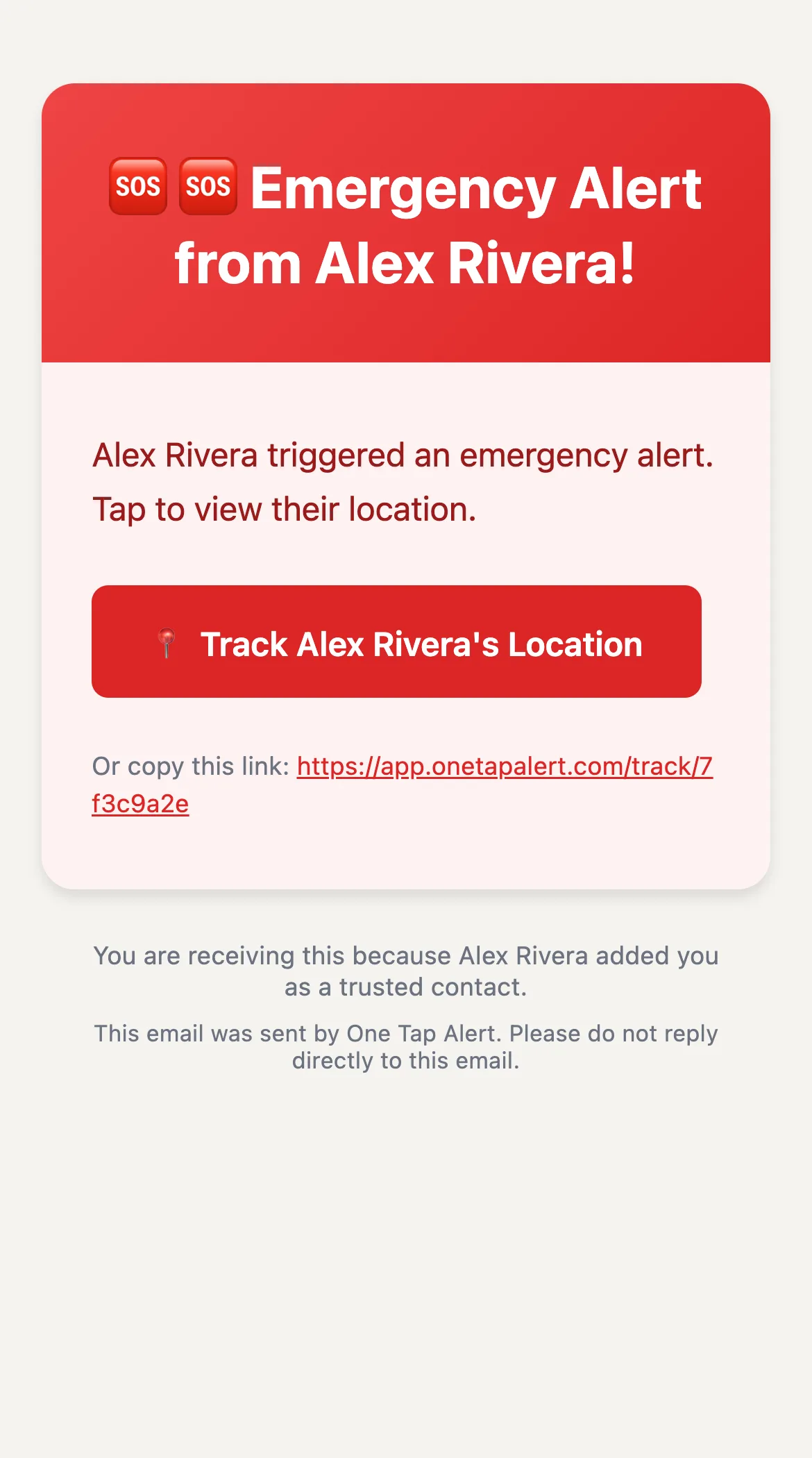
On every plan, each contact gets an email from [email protected] titled “Emergency Alert from” your name.
- Any message or photo you added to the alert.
- A red button to open your live location, plus a link they can copy.
- A line explaining they’re receiving it because you added them as a trusted contact.
2. A live map in their browser.
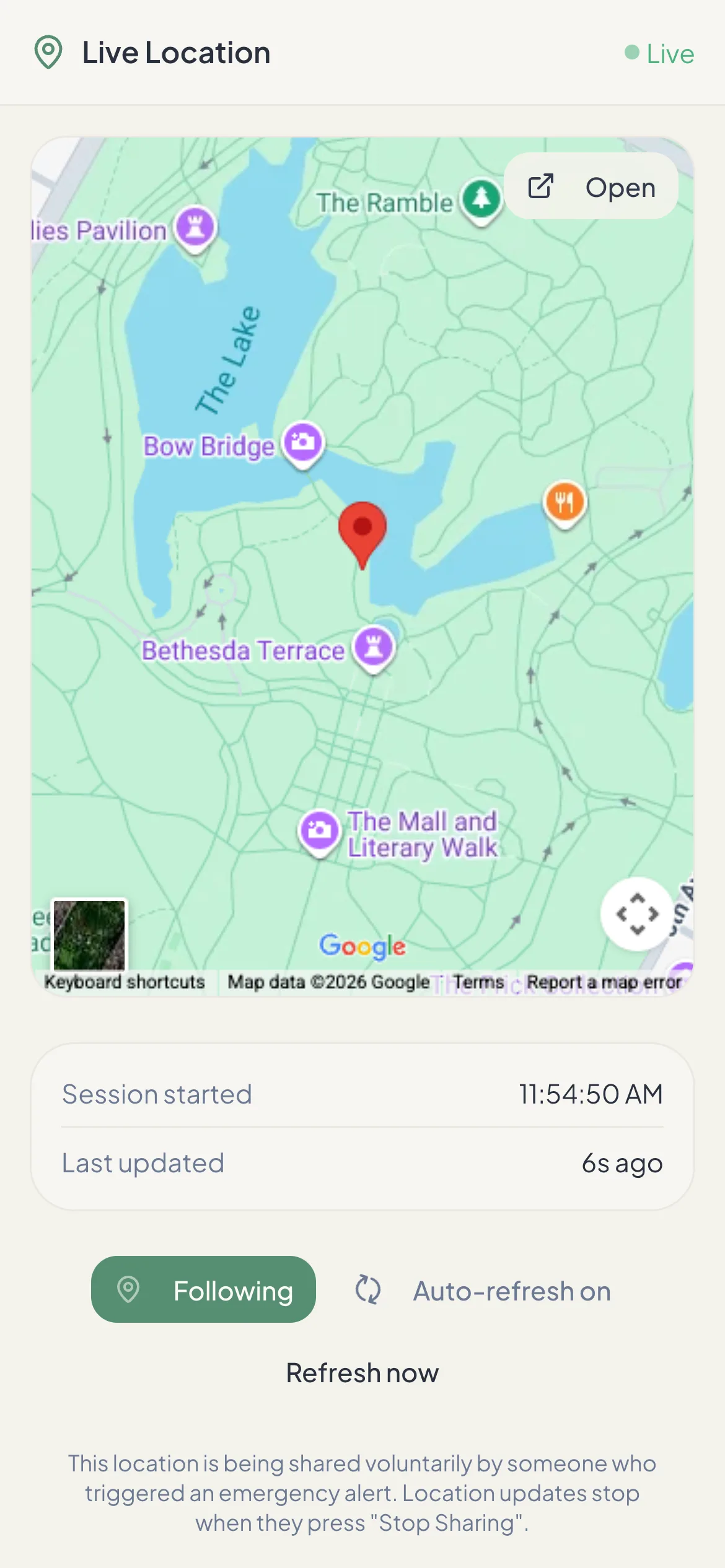
The link opens a map showing your position, marked “Live” while you’re sharing. No app, account or login.
- Updates every 10 seconds, with the time of the last update.
- An “Open” button to get directions in their own maps app.
- The link stops working when you press Stop, or after 24 hours.
3. Texts and a phone call, on paid plans.
If you’re on a paid plan and added a mobile number, the contact also gets:
- A text saying you triggered an emergency alert, with your message and the location link.
- A second text from +1 877 405 9946 with a map pin, letting them know a call is coming.
- An automated English voice call from the same number that reads out the alert and repeats it.
What contacts can’t do
- Request your location or turn on sharing.
- See your location history or past alerts.
- Track you once you press Stop or the link expires.
Questions from contacts
Do contacts have to agree to be added?
OneTapAlert doesn’t ask them, so please do. Tell each person you’ve added them, what an alert looks like, and what you’d want them to do — call you, come to you, or call 911.
Can a contact stop receiving alerts?
Ask the person who added you to remove you from their trusted contacts. You can also unsubscribe from SMS by replying STOP; see our SMS consent page.
Can contacts reply to the alert?
Alert emails come from an address that isn’t monitored. Contact the person directly — by phone if you can.
Be Ready Before You Need It.
Set up your trusted contacts in a few minutes. The free plan sends SOS email alerts with a live location link. No credit card needed.